

PositiveSSL
Personal Websites & Start-Ups
Features
- Single domain
- Domain Validation (DV)
- Strongest 256-bit data encryption
- Removes "Not Secure" browser warning
- Device and browser compatible
- Validates domain ownership
- Static site seal
- $10,000 warranty
- Free expert support
- Issued in minutes
Positive SSL with EV
Small & Medium Businesses
Features
- Single domain with Business Validation
- Extended Validation (EV)
- Strongest 256-bit data encryption
- Removes "Not Secure" browser warning
- Device and browser compatible
- Validates domain and business validation
- Static site seal
- $1,000,000 warranty
- Free expert support
- Issued within 1 day after all documentation is received
SSL EV Multi-Domain/UCC
Large Businesses & Enterprises
Features
- 3 domains included (250 max)
- Extended Validation (EV)
- Strongest 256-bit data encryption
- Removes "Not Secure" browser warning
- Device and browser compatible
- Validates domain and business validation
- Static site seal
- $1,750,000 warranty
- Free expert support
- Issued in 1-5 days
Not sure which certificate is right for you? Download the Buyer's Guide
What is an SSL Certificate?
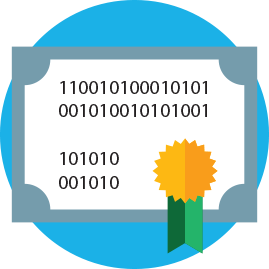
SSL, or Secure Socket Layer, is a universally accepted security protocol used by web browsers and servers to protect data passed back and forth on a website. Two components—the protocol and the certificate—work together to enable a secure HTTPS connection.
-
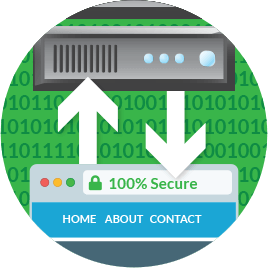
 The protocol is the code and procedures for accessing a secure site by establishing an encrypted connection between a browser and a web server.
 -
The client browser requests a secure connection from the web server with a unique code used to generate an SSL certificate for encryption.
-
That is how your site becomes publicly available!
Worry free SSL certificates
SSL is a visual indicator to your customers that all the private information and transactions on your website will remain secure and encrypted. A HubSpot survey reports 82% of survey respondents in the US, UK and Australia said they'd leave a website with no SSL.
Basic SSL certificates satisfy industry encryption and compliance requirements to put your customers at ease. Premium SSL certificates go the extra mile to show your customers that you value their security.
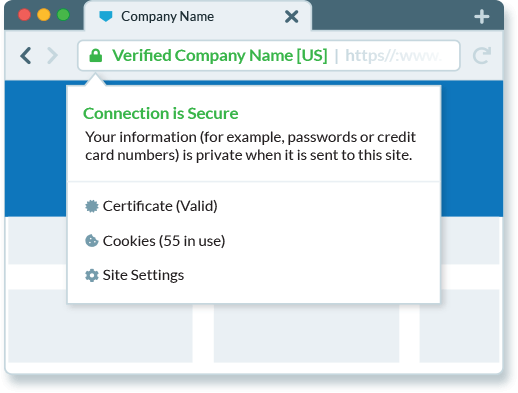
Website visitors can instantly see you are a trustworthy source when you purchase an SSL certificate with the green address bar.
Premium protection for an affordable SSL certificate cost
Basic SSL certificates are a standard check mark for any new website. According to PhishLabs Q3 2018 report, 49% of phishing sites use Domain Validation (DV) or Basic SSL certificates to display HTTPS and appear safe.
Premium SSL certificates protect against phishing and reassure your visitors it's really you on the other end of their connection. In fact, PhishLabs reports sites protected by Premium SSL certificates are 93-97% safer than basic encryption-only DV websites.

Don't worry how to get an SSL certificate—we're here to help you!
SSL is a dynamic and constantly evolving aspect of website security. A strong and trusted SSL certificate is a necessary security feature for any reputable and trusted website.
It has not always been particularly glamorous or easy to get an SSL certificate in the past, but they are crucially important to your website. But not to worry. We'll help you find the right SSL solution to reach your goals and help you install it on your website seamlessly.

SSL is good for business
- Improve Website Performance
- Drive More Website Traffic
- Reduce Cart Abandonment
- Increase Conversions
- Enable Most Popular Mobile Features
- Protect Against Phishing
Secure sensitive customer data
Encryption keeps data safe and eliminates "Not Secure" browser warnings. Good thing since, according to the CA Security Council Report, only 2% of visitors will proceed past these warnings and only 3% will give credit card information to a website without a lock in the browser bar.
Protect your brand reputation
Some SSL certificates are more powerful than others. Premium SSL certificates that include business-level validation authenticate more than just your domain. Your legitimacy is verified by a globally trusted Certificate Authority, giving visitors confidence in doing business with you.